A clearer intake process for schools and families.
Eqra helps schools move from manual intake tracking to a structured online workflow — from configuring intake windows to reporting on enrollment demand.
- Configure once, reuse every season
- Parent access built in
- Reporting at every step
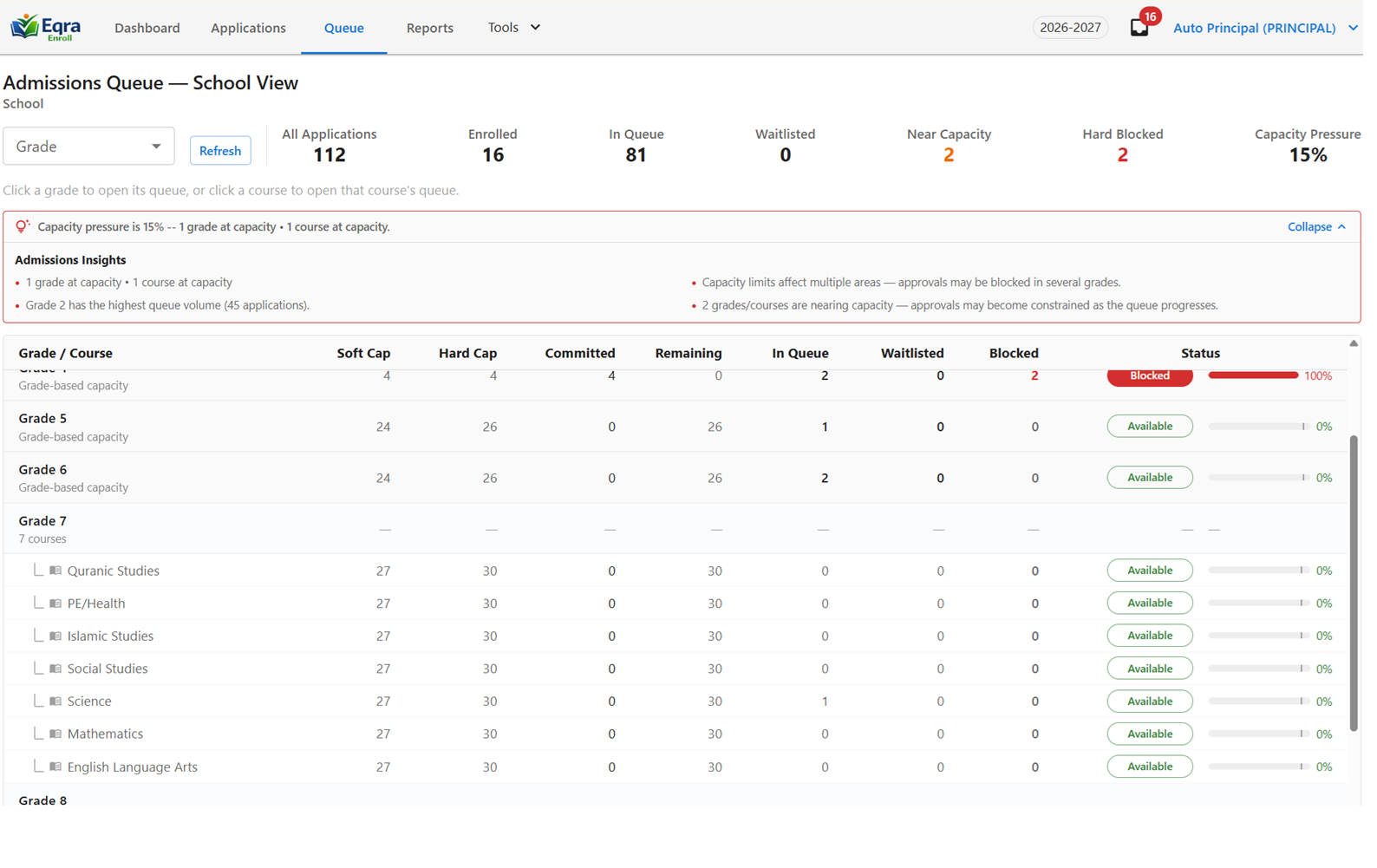
Full workflow
9 connected stepsThe Process
From configuration to reporting, in one connected flow.
Configure the intake process
Set up intake windows, grades, programs, capacity, and fee steps for your school.
Parents submit Expression of Interest online
Families complete a clear, school-specific online form.
Parents access their application
A secure access link lets parents return anytime.
Administrators review submissions
Staff see status, documents, and next actions in one dashboard.
Work through the application queue
Manage follow-ups, exceptions, and requests in a structured queue.
Request information and communicate with families
Ask for missing details and get responses through Eqra.
Manage priority, capacity, and waitlists
Apply priority rules and track capacity with more structure.
Track communication and audit history
See what happened, when, and what still needs attention.
Report and plan
Use dashboards and exports to support enrollment planning.
Next step
See this workflow in action.
Book a demo and we’ll walk through configuration, parent submissions, review, communication, and reporting for your school.